Choosing between Lightroom Classic and Lightroom CC is one of the most common questions photographers ask today. And honestly, I understand why Adobe’s ecosystem has grown into a full universe of apps, cloud tools, mobile editors, AI features, and storage options.
As someone who spends countless hours photographing wildlife, nature, and macro subjects, my editing workflow has become a deeply personal part of my creative identity.
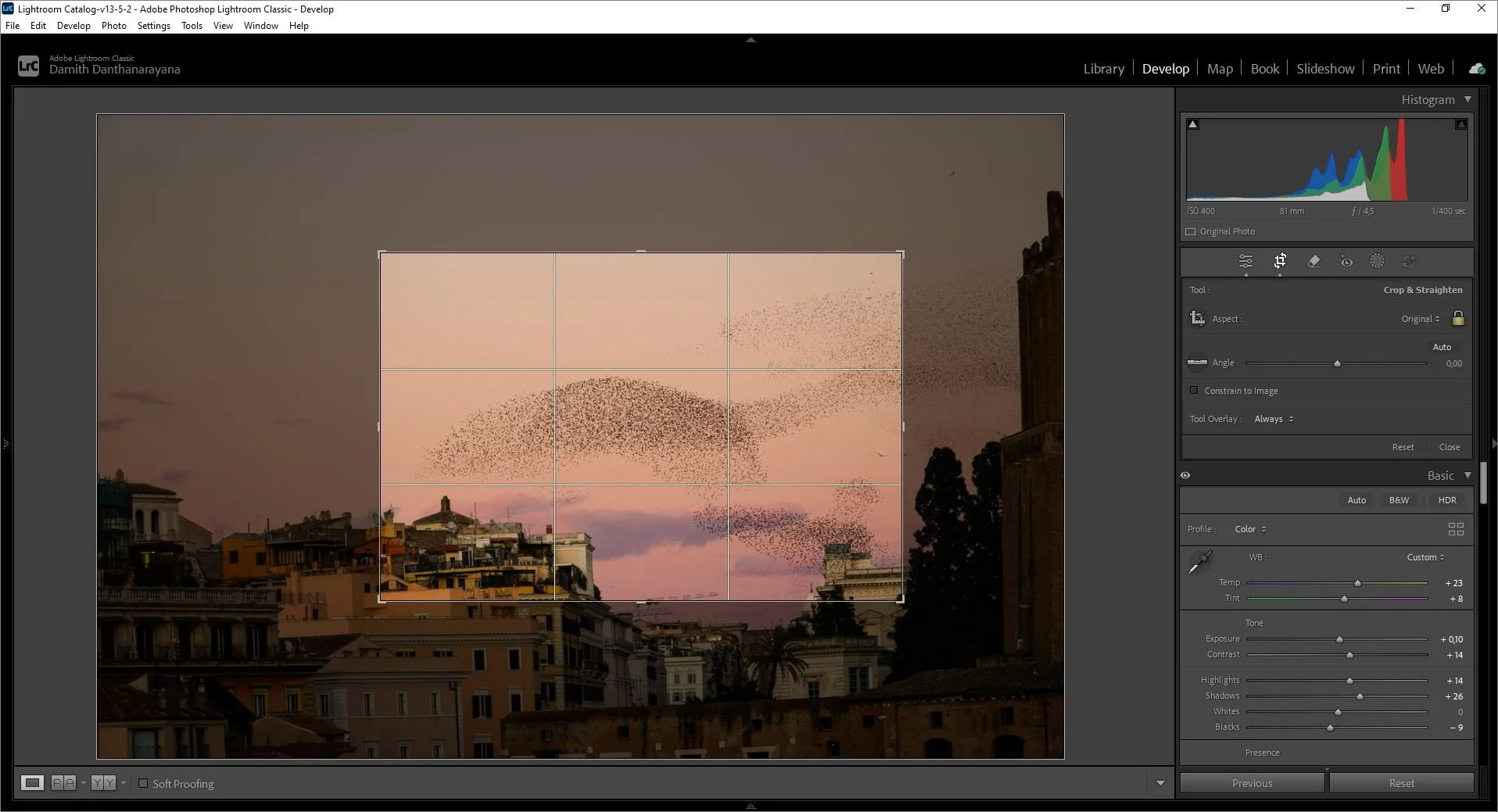
My Lightroom Classic editing screen, where I do most of my wildlife, nature, and macro photo processing.
This article is not just a comparison. It’s my real experience, my opinions, and my actual workflow using Adobe Photography Plan, which includes::
Lightroom Classic
Lightroom CC
Lightroom Mobile
Photoshop (desktop + mobile)
Adobe Portfolio
1TB Adobe Cloud Storage
1000 monthly generative credits
This setup gives me the perfect balance between professional editing power and mobile flexibility. If you’re a photographer who wants a practical, honest, experience‑based guide, this is for you.

Lightroom 1TB cloud storage compared with the Adobe Photography Plan 1TB package, showing how the Photography Plan includes Lightroom Classic, Lightroom CC, Photoshop, and mobile apps (the plan I currently use).
Understanding the Lightroom Universe (All Lightroom Types)
Adobe didn’t create “Lightroom” as one product. They created an ecosystem.
Each version has a purpose, and understanding them helps you build a workflow that fits your photography style.
Lightroom Classic (Desktop)
Lightroom Classic is the version most professional photographers rely on. It’s built for speed, precision, and control. Key Features of Lightroom Classic (Desktop) are;
Folder‑based organization
Catalog system
Fast culling for large RAW libraries
Advanced editing tools (HSL, calibration, curves, masking, lens corrections)
Tethering support
Smart collections
Custom presets
Integration with Photoshop
It is for the photographers who:
shoot thousands of RAW files
need precise color control
want full editing power
prefer local storage
work with external SSDs or NAS
For wildlife and macro photography, Classic is unmatched. I Personally Use Lightroom Classic for almost all of my photo enhancements.
Lightroom CC (Cloud‑Based Lightroom): The Modern, Mobile‑First Editor
Lightroom CC is Adobe’s cloud‑first version. It’s designed for simplicity, mobility, and accessibility. Key Features of Lightroom CC are:
Cloud storage (1TB or more)
Automatic syncing across devices
Clean, minimal interface
AI masking
Easy sharing
Works on desktop, mobile, and web
It is for the photographers who;
want everything accessible everywhere
edit on multiple devices
prefer simplicity over complexity
travel frequently
don’t want to manage folders manually
Lightroom CC is perfect for quick edits, travel photography, and mobile workflows. I actually have Lightroom CC installed on my laptop as well, but to be honest, it’s not suitable for my main editing purposes at this moment. As a wildlife, nature, and macro photographer, most of my work involves handling large RAW files, organizing thousands of images from field sessions, and doing precise color and detail adjustments and Lightroom Classic is simply better for that.
However, Lightroom CC still has an important place in my workflow. When I plan long trips especially multi‑day photography journeys or countryside explorations I know I’ll need access to my cloud‑synced collections. During those times, Lightroom CC becomes extremely useful. It lets me review images on the go, make quick edits on my laptop or phone, and keep everything synced across devices. So even though Lightroom CC isn’t my main editing tool, it’s a reliable companion whenever I’m traveling or working away from my main computer.
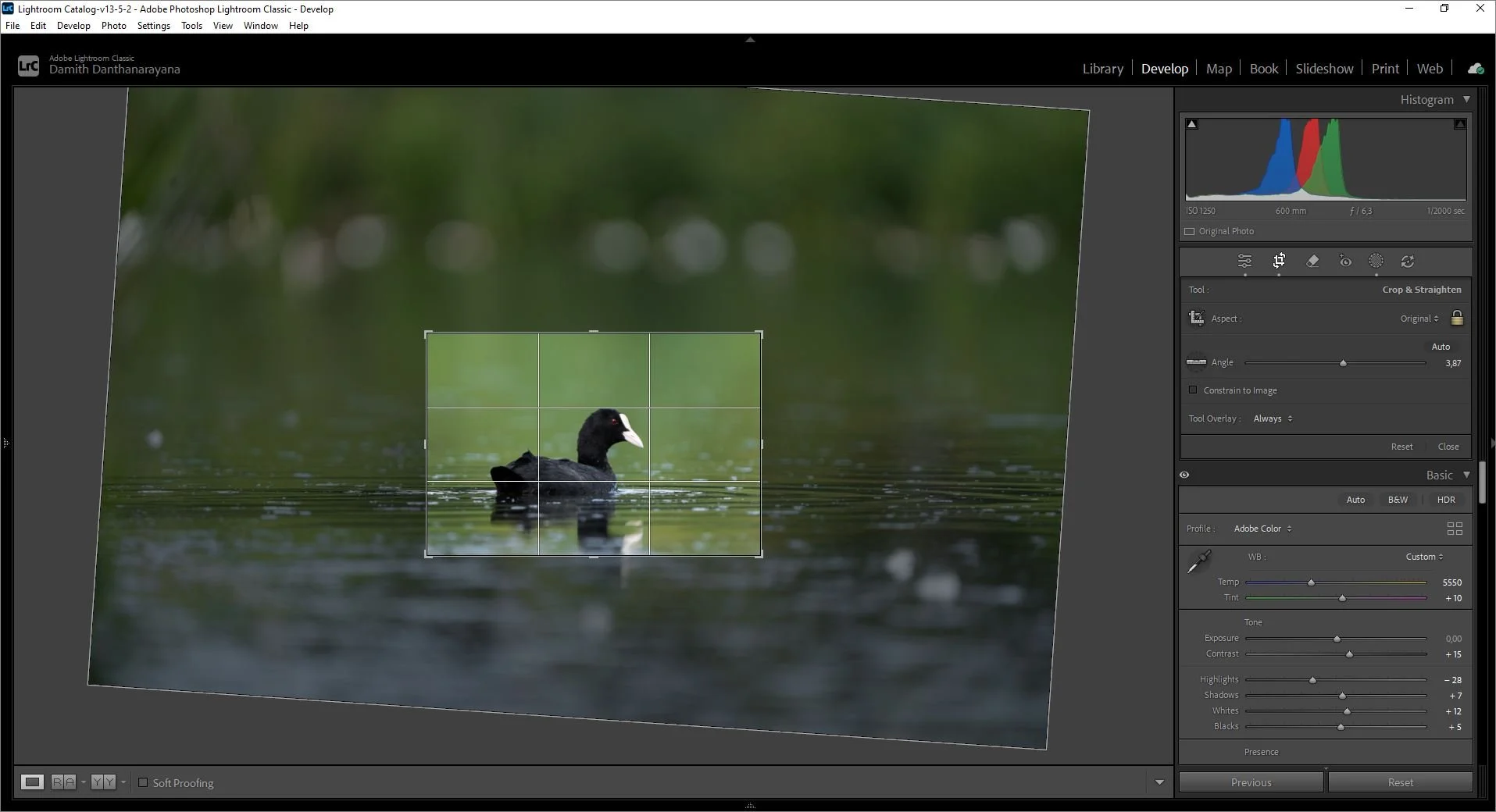
Lightroom Classic screenshot showing my line of bird‑photo editing workflow, demonstrating why Classic remains my main tool for high‑volume RAW editing compared to Lightroom CC’s cloud‑based interface.
Key Takeaways
As I check further into the differences, the core distinction becomes very clear:
Lightroom Classic stores your photos locally on your hard drives and gives you full control, while Lightroom CC stores your original photos in the cloud, making them accessible everywhere. This single difference shapes the entire workflow.
In fact, majority of event and action photographers still prefer Lightroom Classic because of its speed, reliable local file management, and strong plugin support something I personally relate to as a wildlife, nature, and macro photographer who deals with thousands of RAW files from field sessions.
There’s also a practical storage reality that many beginners overlook. The base Adobe Photography Plan includes only 20GB of cloud storage, which is nowhere near enough for a cloud‑first Lightroom CC workflow. Even a single wildlife trip can easily exceed that. To make CC truly usable, you need the 1TB plan, which can store roughly 20,000 to 30,000 RAW files depending on your camera. I currently have the 1TB plan, but even then, I prefer keeping my main library in Lightroom Classic because I want full control over my folders, backups, and external SSDs.
From an AI and performance perspective, both Lightroom Classic and Lightroom CC share the same core AI features including Denoise, Generative Remove, and the newer masking tools. But in real‑world use, Classic still feels faster for me. When I’m editing high‑ISO wildlife shots or detailed macro images, Classic’s GPU acceleration and local file access outperform CC’s reliance on internet speed, especially during large imports or heavy edits.
Another major factor is the plugin gap. Lightroom Classic supports a wide range of professional plugins, while Lightroom CC offers fewer than five major integrations. For many photographers, this is a big limitation especially if they rely on plugins for color grading, film emulation, or batch processing. For my workflow, though, this difference doesn’t really matter. As a wildlife, nature, and macro photographer, I rarely use plugins. Most of my editing is manual and detail‑focused, so Classic’s built‑in tools already give me everything I need. But for photographers who depend heavily on plugin‑based workflows, Lightroom CC simply cannot replace the flexibility and ecosystem that Classic provides.
Even today, in 2026, Lightroom CC still lacks several of Lightroom Classic’s advanced features, including Virtual Copies, the Print Module, and detailed Soft Proofing. These may seem like small technical differences, but they matter a lot when you’re producing consistent wildlife or macro edits for clients or building a polished portfolio. As someone who edits thousands of RAW files and relies on precise color control, these missing features make Lightroom CC less suitable for my main workflow.
That said, Lightroom CC does have one undeniable advantage: mobile integration. For photographers who work primarily on phones or tablets, CC’s sync between mobile, tablet, and desktop is incredibly smooth.
Final Thoughts: What About You?
Above are my personal opinions based on my own workflow as a wildlife, nature, and macro photographer. Lightroom Classic fits the way I shoot, organize, and edit while Lightroom CC supports me during travel, long countryside trips, and moments when I need quick access to my cloud library.
But every photographer builds their own ecosystem.
Which Lightroom version do you use, or which one are you planning to use more?
Do you prefer the full control of Classic, or the cloud‑first simplicity of CC?
Share your workflow. I’d genuinely love to hear how other photographers design their editing setups, especially those working in wildlife, macro, travel, or outdoor photography. Your experience might help someone else choose the right path.
For more blog articles related to wildlife, nature, photography, and traveling, you can visit my blog: Damith Danthanarayana's Blog.
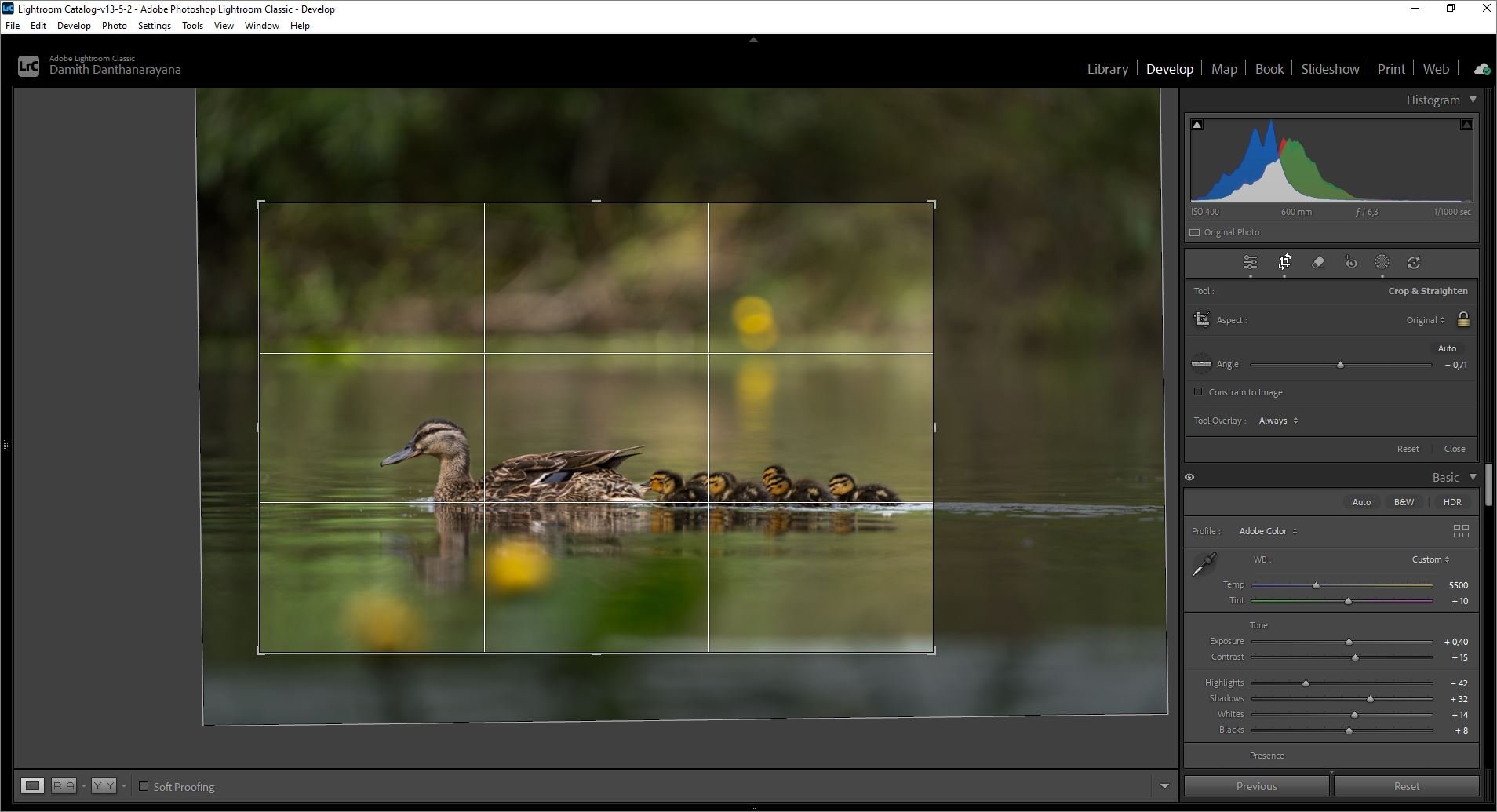
Bird‑photo editing in Lightroom Classic, showing the local‑file workflow that outperforms Lightroom CC for my RAW‑heavy shoots.
Search the blog: